Portraits
AI Zombie Portrait
AI Zombie Portrait turns an authorized portrait into a fictional Halloween character with eerie color and dramatic lighting.
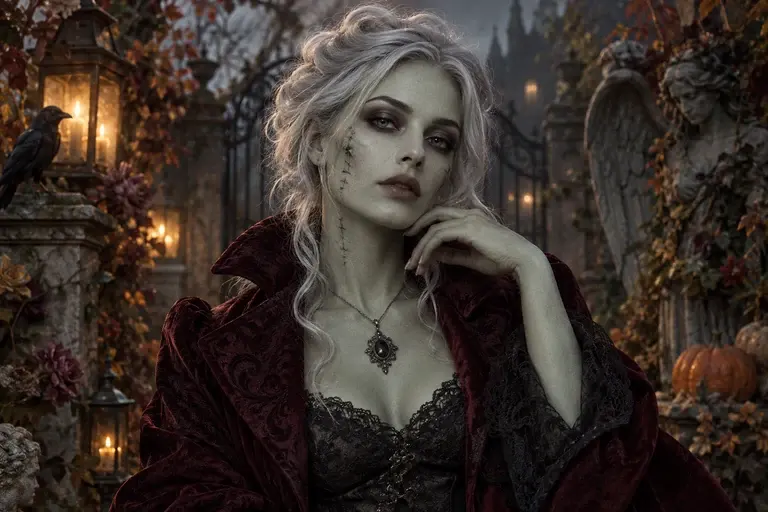
The horror effect may be intense. Check facial detail and use the result in contexts suitable for its audience.
PNG, JPEG or WebP, up to 10 MB.
Results are private by default. Only upload material you have permission to use.
Loading image models…
Follow the content rules and review your result before sharing. Acceptable Use Policy
Use your own image or try the sample input.
AI Zombie Portrait
AI Zombie Portrait turns an authorized portrait into a fictional Halloween character with eerie color and dramatic lighting. Explore a spooky avatar or party image while deciding how playful or intense it should feel. The face can change, so review the expression and suitability for the audience before sharing.
Choose a useful starting image
Use a portrait you have permission to transform. Keep the face visible and select a source suitable for a spooky illustration.
Ideas for your next creation
- Create a spooky avatar from your own photo for Halloween, describing a playful undead character with dramatic eyes and theatrical lighting.
- Explore a themed party portrait with a dark background, choosing a mild horror treatment that suits the people who will see it.
How to use this tool
Choose a clear reference, sign in and upload your image.
Review the suggested description and adjust it when the tool allows editing.
Check the model, size and displayed credit cost, then generate.
Review the finished image at full size and download the result you want to keep.
Before sharing your result
The horror effect may be intense. Check facial detail and use the result in contexts suitable for its audience.
Questions before you start
Can I make an AI zombie portrait less frightening?
Describe a playful costume-like effect, gentle shadows and a cartoon mood. Avoid requests for graphic injury. Inspect the result before sharing, since the effect may still be more intense than the description suggests.
Should I transform somebody else's portrait?
Use a portrait you have permission to edit and consider the person's comfort with the theme. Present the result as fictional Halloween artwork, especially when it changes their expression or could be mistaken for a real event.
What photos can I upload?
The editing tools accept PNG, JPEG and WebP images up to 10 MB. A clear source image with a visible subject is a useful starting point. Upload only photos you own or have permission to edit, and keep your original file.
Can I use these image tools for free?
Sign in to generate images or videos. A Free account can use eligible gift credits and limited trials; the credit charge and current allowance are checked before generation.
What does the example artwork show?
The artwork shows a creative direction. It is visual inspiration, not a promise of the result from your own photo.