Art & style
Photo to Doodle
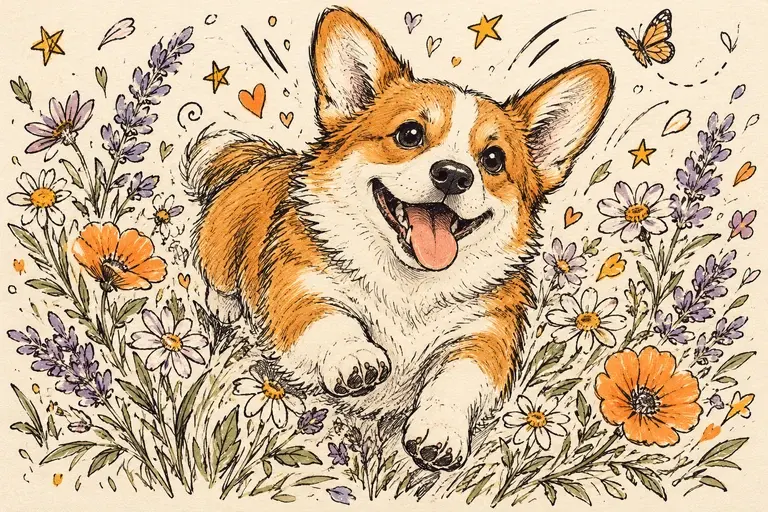
Photo to Doodle turns a subject into playful ink-like scribbles, loose outlines and simplified shapes.
Small details can disappear or become invented lines. The result is an image, not editable strokes or vector artwork.
PNG, JPEG or WebP, up to 10 MB.
Results are private by default. Only upload material you have permission to use.
Loading image models…
Follow the content rules and review your result before sharing. Acceptable Use Policy
Use your own image or try the sample input.
Photo to Doodle
Photo to Doodle turns a subject into playful ink-like scribbles, loose outlines and simplified shapes. Explore a casual portrait, pet drawing or object illustration when expression matters more than fine detail. Use a clear source and review the linework: the result is an image, not editable pen strokes or vector art.
Choose a useful starting image
Use a simple portrait, pet or object with a clear silhouette. Reduce clutter in the source.
Ideas for your next creation
- Create an informal pet drawing for a personal message, focusing on its ears, expression and outline rather than exact fur texture.
- Explore a lighthearted portrait illustration for a journal page, choosing loose black lines and a simple background that leave room for your own text.
How to use this tool
Choose a clear reference, sign in and upload your image.
Review the suggested description and adjust it when the tool allows editing.
Check the model, size and displayed credit cost, then generate.
Review the finished image at full size and download the result you want to keep.
Before sharing your result
Small details can disappear or become invented lines. The result is an image, not editable strokes or vector artwork.
Questions before you start
How is photo to doodle different from a pencil sketch?
Doodles favor loose outlines, playful marks and simplified forms, while pencil sketches often rely on graphite shading and tonal detail. Choose doodle for a casual illustration and pencil sketch when you want a more shaded drawing appearance.
Can I edit the individual doodle strokes?
The generated lines are part of a raster image rather than separate editable paths. Review stray marks and missing features before downloading. For precise stroke changes or vector output, redraw or trace the image in a suitable editor.
What photos can I upload?
The editing tools accept PNG, JPEG and WebP images up to 10 MB. A clear source image with a visible subject is a useful starting point. Upload only photos you own or have permission to edit, and keep your original file.
Can I use these image tools for free?
Sign in to generate images or videos. A Free account can use eligible gift credits and limited trials; the credit charge and current allowance are checked before generation.
What does the example artwork show?
The artwork shows a creative direction. It is visual inspiration, not a promise of the result from your own photo.