Art & style
Photo to Pixel Art
Photo to Pixel Art reinterprets a photo through blocky shapes, a reduced palette and a nostalgic game mood.
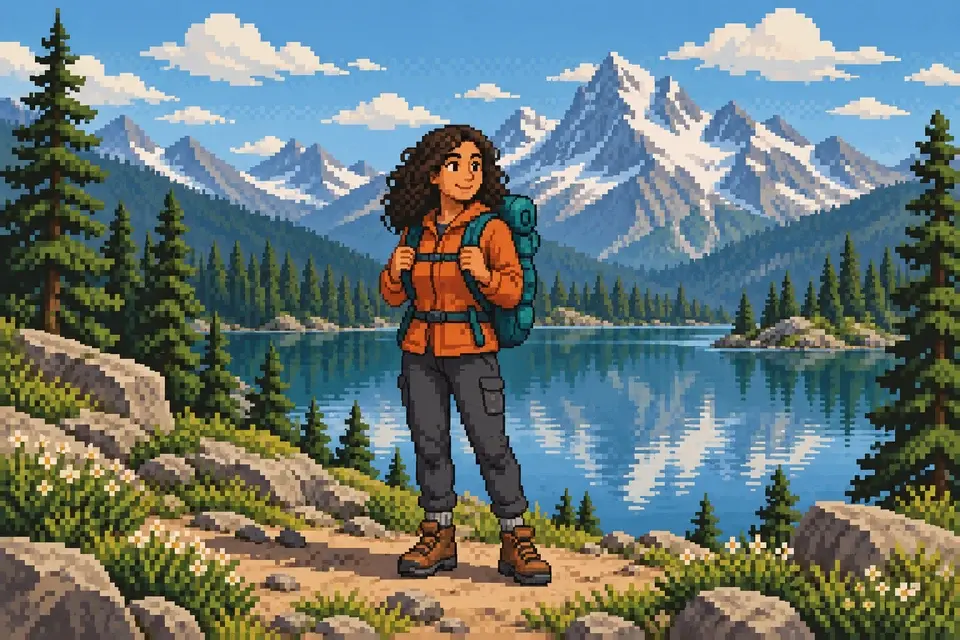
This is a raster image with a pixel-art appearance. It does not guarantee a game-ready sprite grid, transparent edges or exact tile dimensions.
PNG, JPEG or WebP, up to 10 MB.
Results are private by default. Only upload material you have permission to use.
Loading image models…
Follow the content rules and review your result before sharing. Acceptable Use Policy
Use your own image or try the sample input.
Photo to Pixel Art
Photo to Pixel Art reinterprets a photo through blocky shapes, a reduced palette and a nostalgic game mood. Explore a retro avatar or simplified scene when the subject has a clear silhouette. The output has a pixel-art appearance, but grid size and game-ready sprite dimensions are not guaranteed.
Choose a useful starting image
Use a simple silhouette and strong color contrast. Small details may disappear in the pixel treatment.
Ideas for your next creation
- Simplify a portrait or pet photo into a retro avatar, focusing on the colors and outline that make the subject recognizable.
- Explore a pixel-styled landscape for a mood board, choosing broad shapes and strong color contrast rather than relying on tiny details.
How to use this tool
Choose a clear reference, sign in and upload your image.
Review the suggested description and adjust it when the tool allows editing.
Check the model, size and displayed credit cost, then generate.
Review the finished image at full size and download the result you want to keep.
Before sharing your result
This is a raster image with a pixel-art appearance. It does not guarantee a game-ready sprite grid, transparent edges or exact tile dimensions.
Questions before you start
Can photo to pixel art generate game-ready sprites?
It creates a raster illustration with a pixel-style appearance, not a verified sprite sheet. Check dimensions, transparency and grid consistency, then use a pixel editor to prepare frames or tiles for your game's requirements.
How do I avoid losing the subject in tiny details?
Choose a simple silhouette and uncluttered background. Describe a limited palette and the features that matter most. Expect small lettering and fine textures to disappear; compare the overall shape and color grouping instead.
What photos can I upload?
The editing tools accept PNG, JPEG and WebP images up to 10 MB. A clear source image with a visible subject is a useful starting point. Upload only photos you own or have permission to edit, and keep your original file.
Can I use these image tools for free?
Sign in to generate images or videos. A Free account can use eligible gift credits and limited trials; the credit charge and current allowance are checked before generation.
What does the example artwork show?
The artwork shows a creative direction. It is visual inspiration, not a promise of the result from your own photo.