Art & style
Photo to Papercraft
Photo to Papercraft imagines a scene as layers of cut paper with broad shapes and soft dimensional shadows.
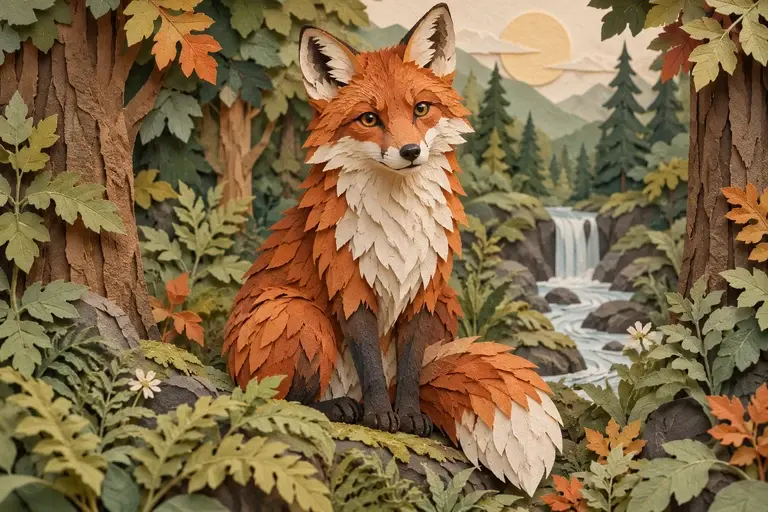
This creates paper-style artwork. It does not produce a cutting template, folding instructions or a craft pattern.
PNG, JPEG or WebP, up to 10 MB.
Results are private by default. Only upload material you have permission to use.
Loading image models…
Follow the content rules and review your result before sharing. Acceptable Use Policy
Use your own image or try the sample input.
Photo to Papercraft
Photo to Papercraft imagines a scene as layers of cut paper with broad shapes and soft dimensional shadows. Explore a decorative illustration using a clear silhouette and a few meaningful colors. The generated image suggests a crafted appearance, but it does not provide patterns or instructions for building a physical paper model.
Choose a useful starting image
Start with a bold silhouette and a few large shapes. Busy textures may be simplified into paper layers.
Ideas for your next creation
- Explore a layered paper-style landscape for a greeting card, emphasizing distinct foreground and background shapes that create a sense of depth.
- Turn a simple pet or object photo into decorative cut-paper artwork, choosing a restrained palette and checking the subject's recognizable outline.
How to use this tool
Choose a clear reference, sign in and upload your image.
Review the suggested description and adjust it when the tool allows editing.
Check the model, size and displayed credit cost, then generate.
Review the finished image at full size and download the result you want to keep.
Before sharing your result
This creates paper-style artwork. It does not produce a cutting template, folding instructions or a craft pattern.
Questions before you start
Does photo to papercraft generate a cutting template?
No. It creates an illustration of a paper-like scene rather than measured pieces or fold instructions. To make a physical craft, design separate patterns and check their dimensions, connections and assembly order with appropriate tools.
How do I make the paper layers clearer?
Choose a subject with a strong silhouette and ask for a few distinct layers with gentle shadows. Reduce visual clutter. Inspect overlapping shapes to see whether the depth reads clearly and important subject features remain visible.
What photos can I upload?
The editing tools accept PNG, JPEG and WebP images up to 10 MB. A clear source image with a visible subject is a useful starting point. Upload only photos you own or have permission to edit, and keep your original file.
Can I use these image tools for free?
Sign in to generate images or videos. A Free account can use eligible gift credits and limited trials; the credit charge and current allowance are checked before generation.
What does the example artwork show?
The artwork shows a creative direction. It is visual inspiration, not a promise of the result from your own photo.