Art & style
Photo to Clay
Photo to Clay imagines your subject as a modeling-clay character with rounded forms, handmade textures and a playful expression.
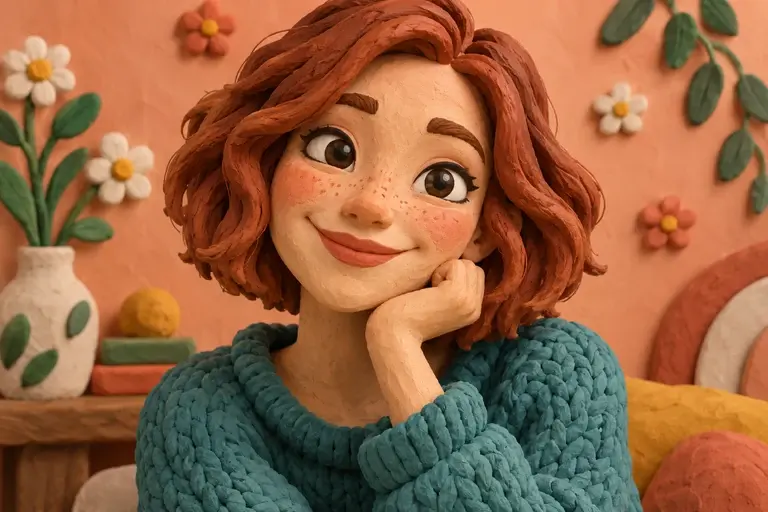
This tool creates a still clay-style image. It does not animate the character or produce a physical sculpture.
PNG, JPEG or WebP, up to 10 MB.
Results are private by default. Only upload material you have permission to use.
Loading image models…
Follow the content rules and review your result before sharing. Acceptable Use Policy
Use your own image or try the sample input.
Photo to Clay
Photo to Clay imagines your subject as a modeling-clay character with rounded forms, handmade textures and a playful expression. Explore the look of a stop-motion character from a portrait, pet or simple object. The output is a still image; shaping and stylization can change fine facial details and proportions.
Choose a useful starting image
Choose a subject with a simple pose and recognizable expression.
Ideas for your next creation
- Explore a clay-style character for a personal story, using the source pose and expression to guide a tactile-looking illustrated design.
- Give a familiar pet or object a playful modeled appearance, choosing simple colors and a backdrop that keeps the character prominent.
How to use this tool
Choose a clear reference, sign in and upload your image.
Review the suggested description and adjust it when the tool allows editing.
Check the model, size and displayed credit cost, then generate.
Review the finished image at full size and download the result you want to keep.
Before sharing your result
This tool creates a still clay-style image. It does not animate the character or produce a physical sculpture.
Questions before you start
Does photo to clay generate stop-motion animation?
The tool produces one still image with a clay-like appearance. It does not create movement, frames or a physical puppet. Use the image to explore a character direction before planning animation or sculpting separately.
How can I make the character feel handmade?
Describe soft clay textures, rounded shapes and subtle fingerprints or seams. Keep the pose simple so the expression reads clearly. Review fingers, eyes and joints, since generated details can look awkward even in a playful style.
What photos can I upload?
The editing tools accept PNG, JPEG and WebP images up to 10 MB. A clear source image with a visible subject is a useful starting point. Upload only photos you own or have permission to edit, and keep your original file.
Can I use these image tools for free?
Sign in to generate images or videos. A Free account can use eligible gift credits and limited trials; the credit charge and current allowance are checked before generation.
What does the example artwork show?
The artwork shows a creative direction. It is visual inspiration, not a promise of the result from your own photo.