Your photo. Your scene. Your flow.
Bulin 47 freestyle AI video generator
Make a Bulin 47 freestyle video with you at the centre of the performance. This Bulin 47 AI tool pairs your photo with a scene and reference audio. Choose a scene, add your photo and create your next short video without writing a prompt.
Preview the styleSign-in and credits required for generation. New scenes and performances are AI-generated; appearance and lip sync can vary.
1. Preview the style
Red-light freestyle · 15 seconds. See how a photo becomes a freestyle performance.
A real generated example. Your result may vary. Sound is included automatically.
One adult subject · JPG, PNG or WebP · up to 10 MB. Sign in to upload. Only use photos you have permission to use.
3. Choose your settings
15-second videos: from $4.50 at 480p or $9.90 at 720p in paid credits. Billed in 5-second blocks, rounded up. Your exact credit quote appears before generation.
Privacy, storage and usage
Results are private by default. Only upload material you have permission to use.
Acceptable Use PolicyMake your Bulin 47 freestyle in three steps
01
Preview the style
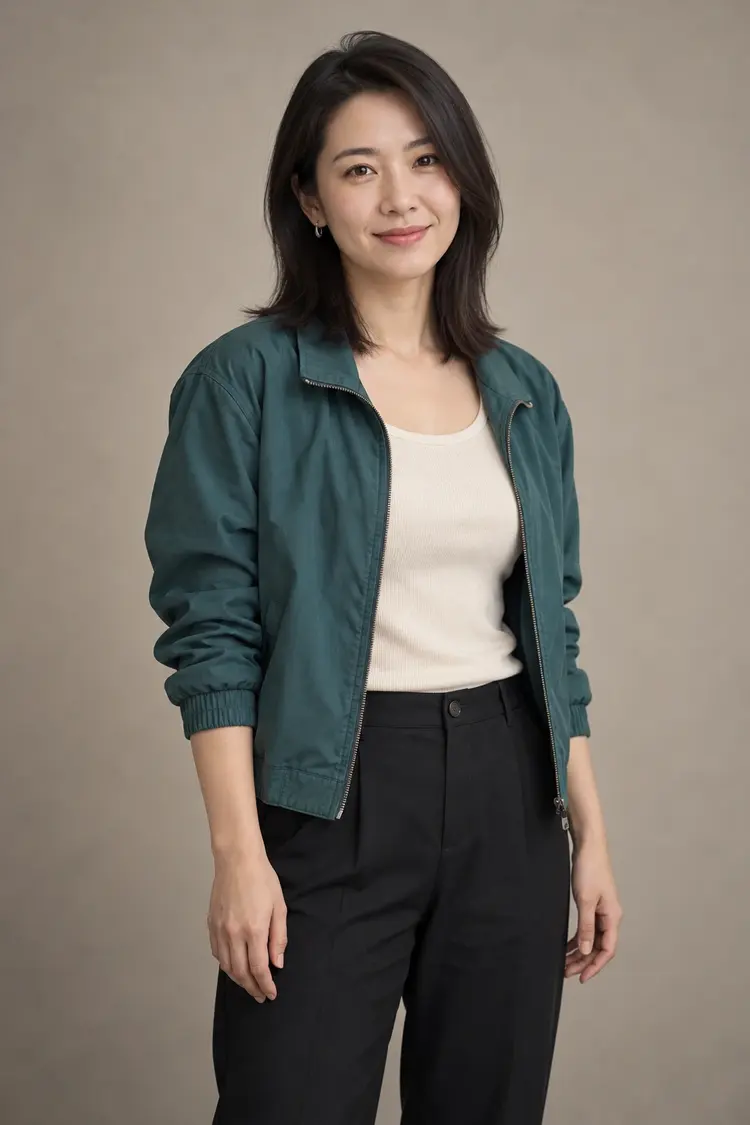
Compare the example input photo with its generated freestyle video. The red-light freestyle style includes the setting, performance and soundtrack for your video.
02
Choose your photo
Upload a clear photo of one adult or try the example photo. We prepare the included references automatically. Your photo guides the lead’s face and visible outfit.
03
Choose settings and generate
Choose 480p or 720p and your preferred aspect ratio, then check the credit cost and generate. Preview the result and download your video when it is ready.
Make the Bulin 47 viral trend your own
The Bulin 47 viral freestyle trend puts a familiar face into a lively musical scene. Bulin 47 AI uses your photo for the lead’s face and visible outfit. The selected scene supplies the composition, lighting and supporting adults. Reference audio guides a new vocal and musical performance, so the result can differ from the recording. This creates a fresh scene rather than an exact recreation of the original clip.
Before you generate
Use a clear, unobstructed photo with permission. Avoid several faces, heavy filters and sensitive images. Watch the style example before starting. The current style creates a 15-second video with its included soundtrack. Choose 480p or 720p and a landscape, square or portrait aspect ratio, then check the exact credit charge before generating.
Want to write your own scene or use different references? Open the AI video generator. Compare plans and credits before choosing a generation.
Bulin 47 AI questions, answered
How does the Bulin 47 trend AI effect work?
The Bulin 47 trend AI effect combines a portrait with a freestyle scene and audio reference. Preview the style, upload your photo and review the result: each Bulin 47 video is newly generated, so it can interpret gestures and vocals differently.
How long is a Bulin 47 freestyle video?
The current Bulin 47 freestyle style creates a 15-second video. Choose your preferred aspect ratio and video quality, then check the credit cost. You can use available account credits without buying a particular subscription tier.
What does Bulin 47 AI create?
Bulin 47 AI turns your photo into a short freestyle performance in a chosen scene. Your photo guides the lead’s appearance; the scene image guides the setting and supporting people. The reference audio guides the rhythm and phrasing.
Do I need to write a prompt or upload music?
Upload your photo. The scene, performance instructions and reference audio are ready to use. No prompt writing is needed: choose your photo, video quality and aspect ratio, then check the credit cost before generating.
Which photo should I choose?
Use a clear JPG, PNG or WebP up to 10 MB with one visible adult subject. A front-facing or slight three-quarter view works best. Only upload a photo you have permission to use; avoid sensitive images.
Will the video keep my face and outfit?
Your photo is used to guide the lead’s identity and visible outfit. The model creates new frames, so facial details, clothing, hands and background reactions may vary. Inspect the finished video before sharing it.
Will it use the exact original song or match every word?
The audio is a reference for a new generated performance. The result may change the voice, wording or accompaniment. Exact soundtrack reproduction, original choreography and precise lip sync are not guaranteed. This page does not clone the artist’s voice.
How much does a video cost?
Sign in and check the credit quote above the generation button. 480p costs the credit equivalent of $4.50 per 15 seconds; 720p costs $9.90, calculated at the lowest eligible credit price. Duration is billed in five-second blocks, rounded up. Your photo and template uploads do not start a paid video generation. See Plans and credits for current account options.
How do I save my video?
When generation and safety review finish, play the result and choose Download video. You can find account videos in My works. Download files you want to keep before the retention period shown in your account ends.
Is this an official Bulin 47 product?
This is an independent Lavie AI creative tool inspired by the freestyle video trend. It is not affiliated with or endorsed by the artist. Use generated videos responsibly and avoid presenting them as recordings of a real event.
Need help with a result? Contact support. Read our acceptable use policy before uploading.